Agentic AI
CLIENT:
Dify
YEAR:
2025-2026
MY ROLE
Product Design Consultant
About this Project
Design solutions
Clear guidance & progressive onboarding
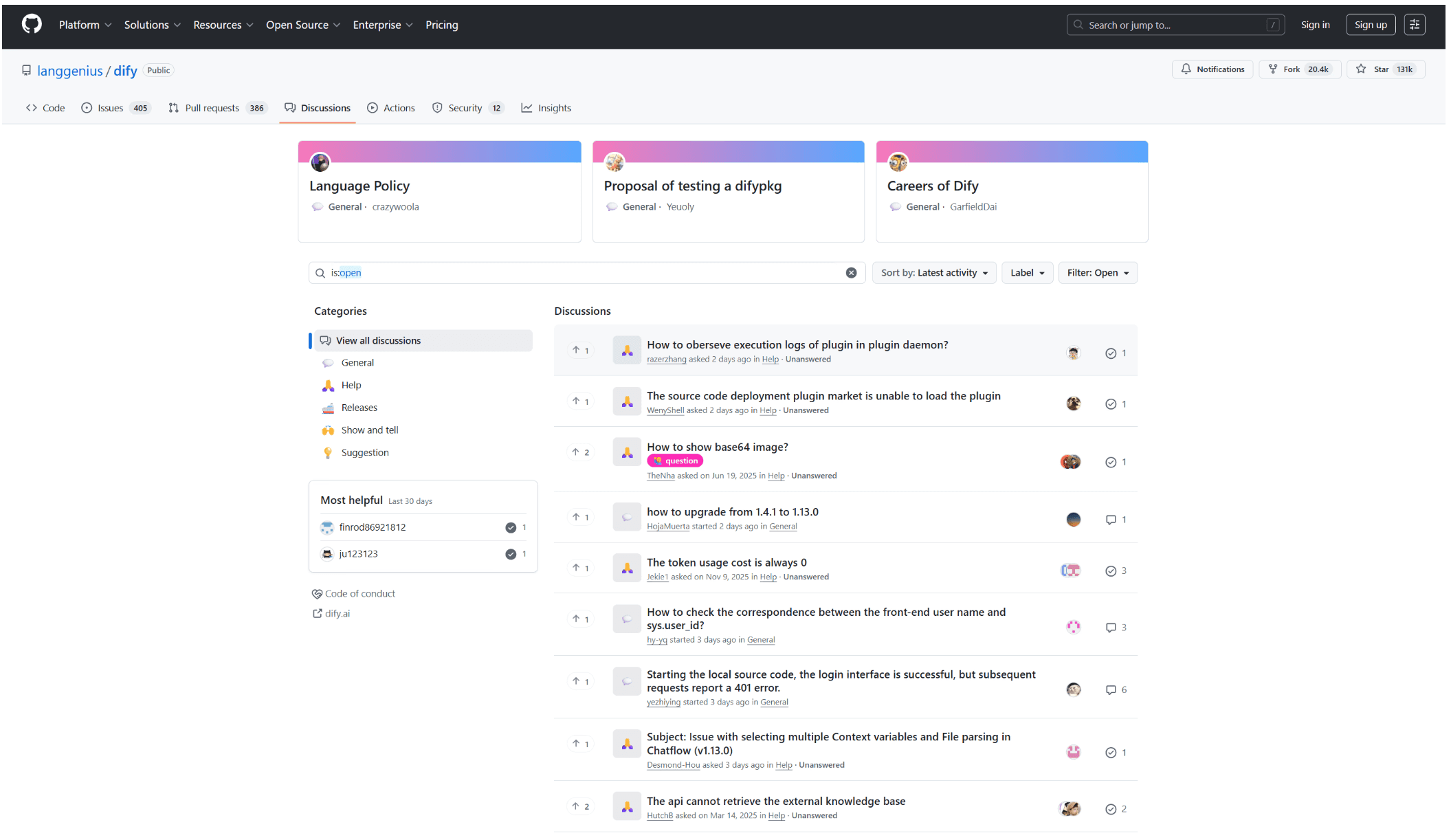
By analyzing real user discussions and feedback from the Dify community, I identified recurring pain points and unmet needs among non-technical users.
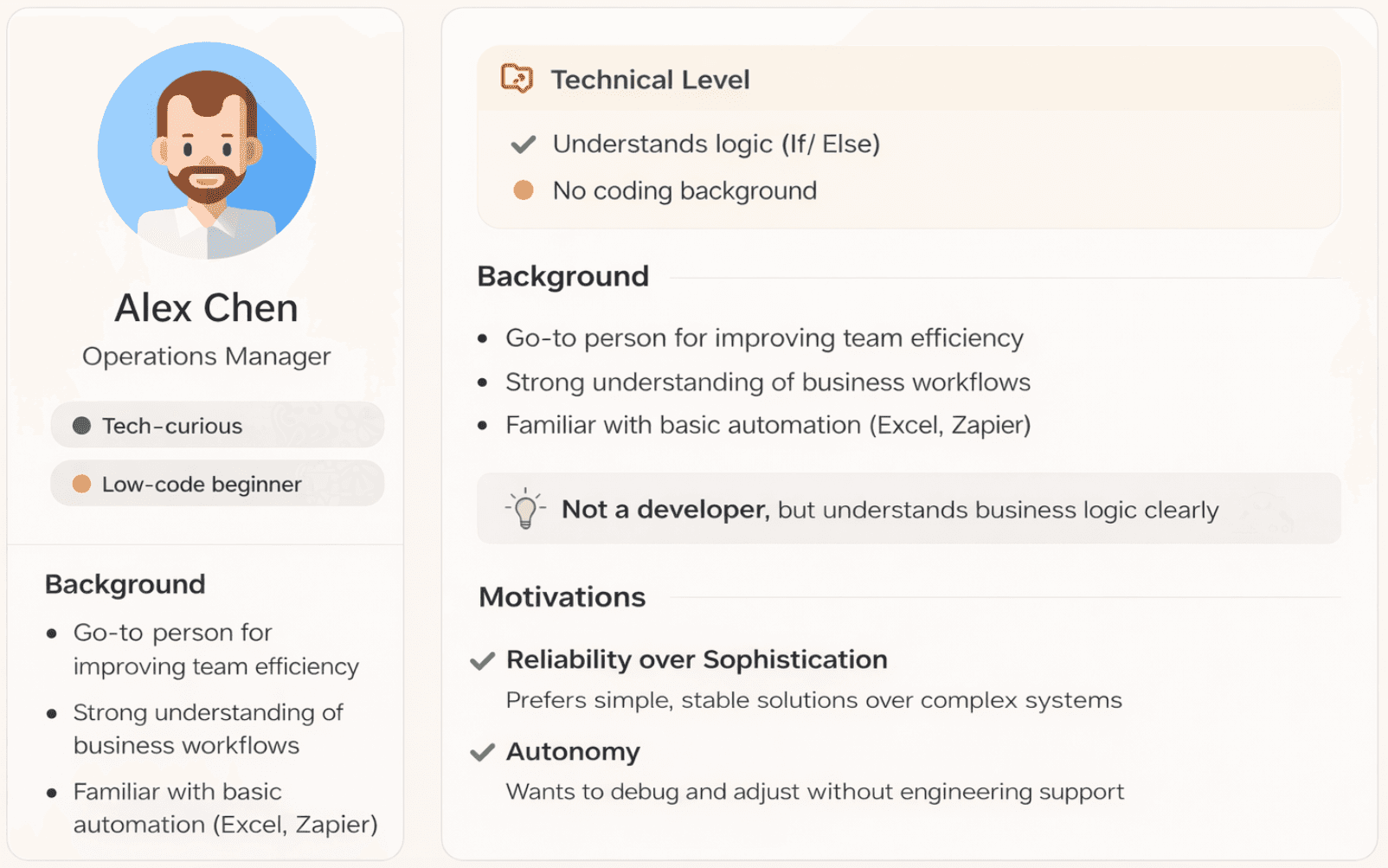
These insights informed the development of a persona that reflects how users approach AI workflows, where they struggle, and what they expect from the system.
Thank you for scrolling:)
If you want to see more detail about this project, feel free to reach out!
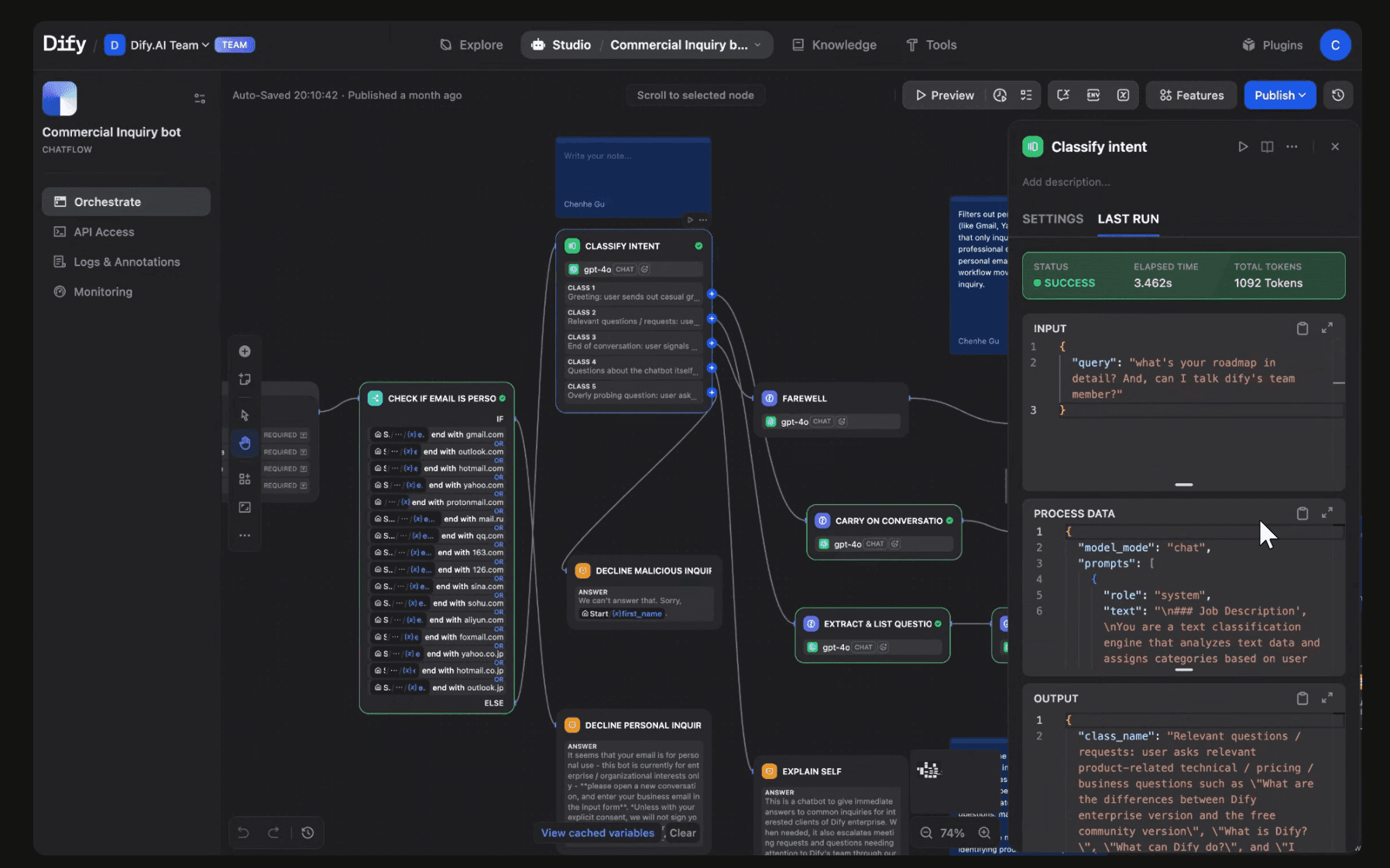
The current agentic AI workflow is primarily designed for developers, exposing system-level controls, technical parameters, and debugging tools that assume engineering knowledge.
However, the target users — business operators and non-technical teams — think in simple, goal-oriented workflows. They know what they want the AI to achieve, but struggle to translate that intent into system configurations.
As a result, tasks like adjusting logic or debugging outputs require navigating complex parameters and developer-centric interfaces, creating a significant barrier to adoption.
This mismatch between user expectations and system design limits usability, slows down iteration, and forces non-technical users to rely on engineering support.
Problem Framing
Design goals
From System Complexity to User Clarity
User research
Key Insights from Competitor Analysis
User research
Persona Insights from User Feedback
Design solutions
progressive disclosure & Reorganize the UI

Full Story
Transform complex model logic into clear, user-understandable feedback, so non-technical users can confidently interpret and adjust AI outputs.
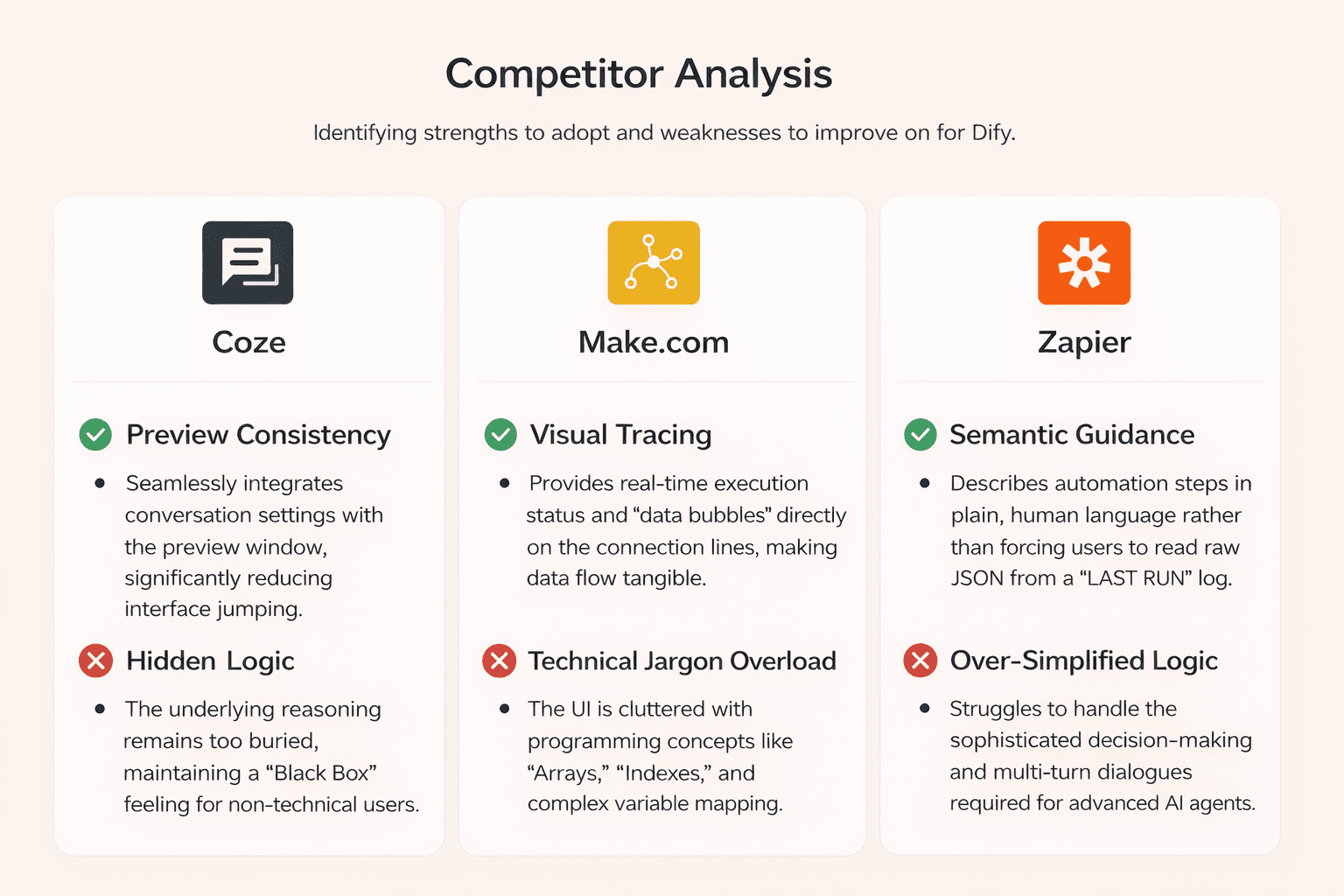
By analyzing leading AI workflow platforms, several consistent patterns emerged.
While existing tools offer strong capabilities for developers, they often expose technical complexity that limits usability for non-technical users.
These insights highlight the need to simplify interaction models, improve transparency, and better align system behavior with user intent.
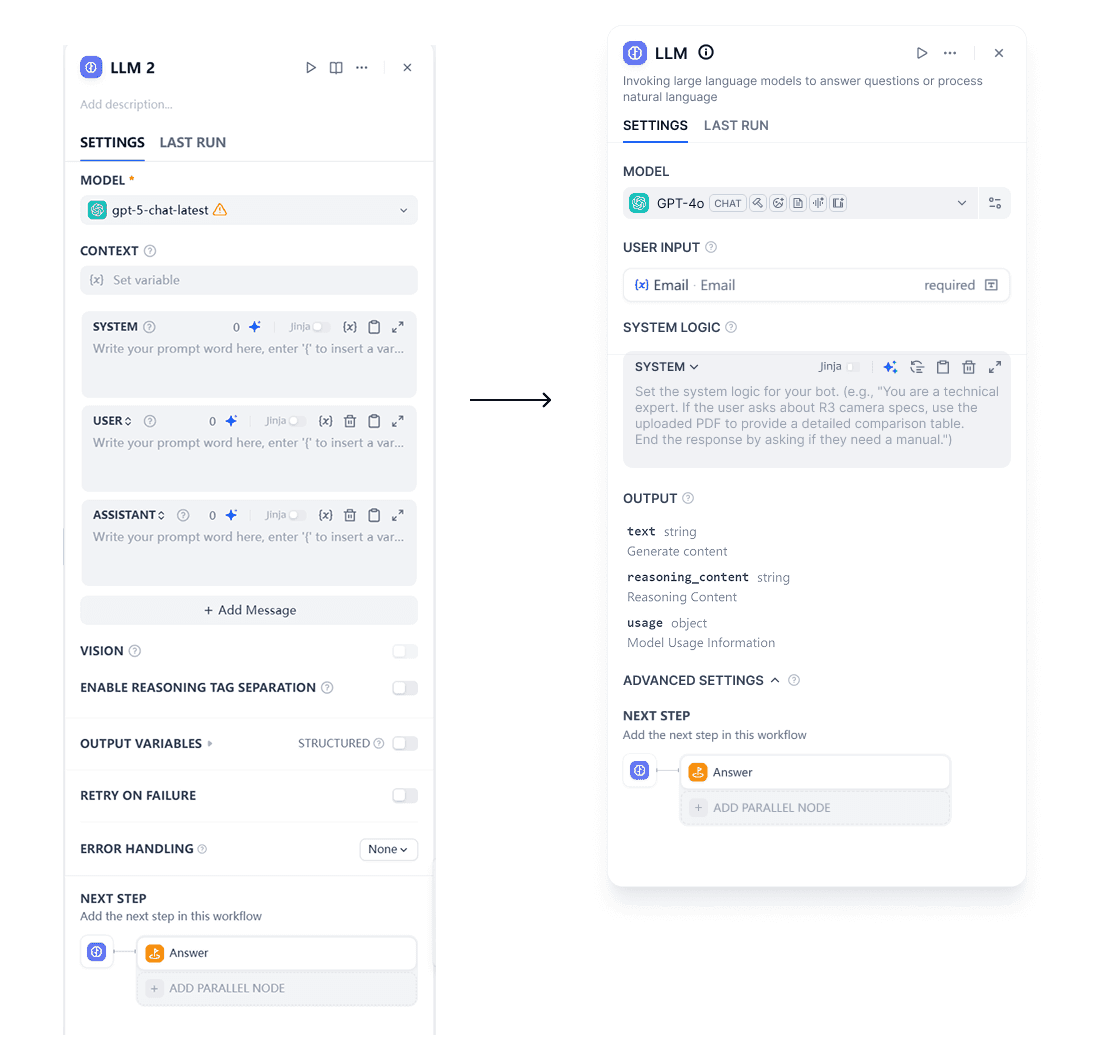
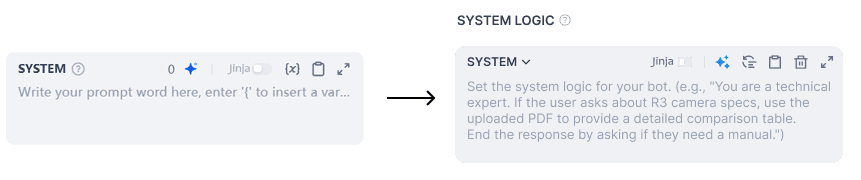
Strategic Pruning: Removed or defaulted to "Hidden" for low-frequency features to reduce visual noise.
Taxonomy Reorganization: Grouped features based on User Mental Models, ensuring logically connected tools are physically adjacent.
Progressive Disclosure: Implemented a tiered interface where advanced configurations are tucked away behind an "Advanced Settings" fold.
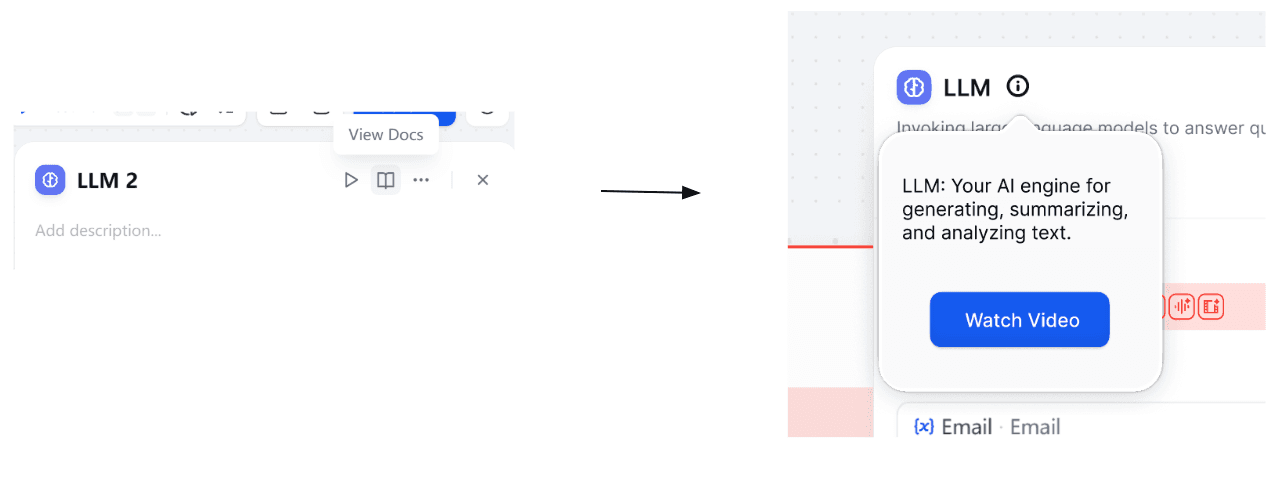
Contextual Guidance: Integrated clear, in-place tooltips and semantic descriptions for complex features to bridge the knowledge gap.
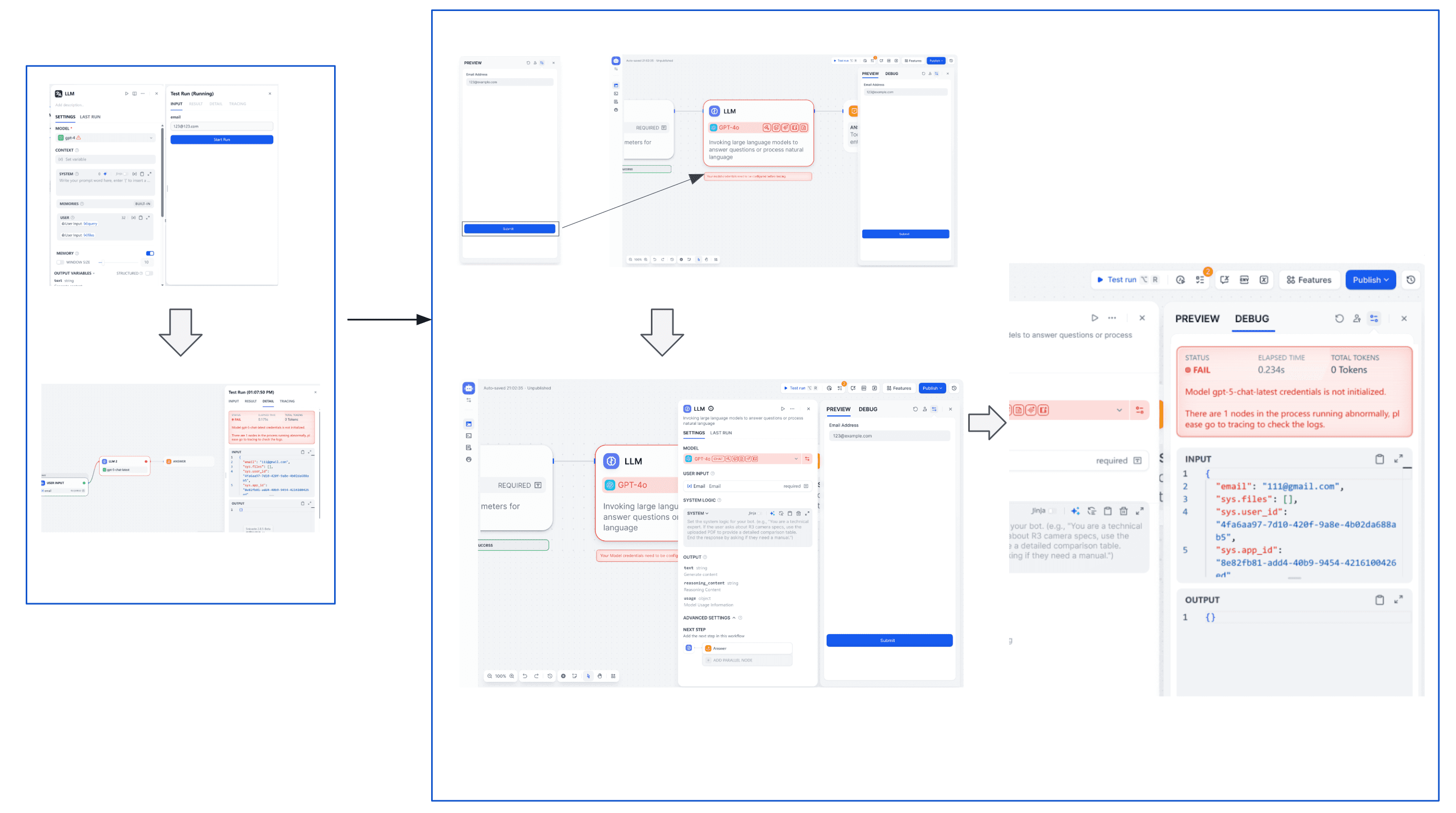
Contextual Guidance: Introduced inline error states and actionable messaging to help users quickly understand and resolve issues, instead of relying on system logs.
Guided Setup Flow: Simplified initial configuration by clearly indicating missing credentials and next steps, reducing confusion during setup.
Progressive Onboarding: Added contextual prompts (e.g. “Walk me through”) to guide users through new features only when needed, avoiding overwhelming first-time experiences.
Just-in-Time Learning: Integrated lightweight educational cues (e.g. tooltips, short explanations) directly into the interface, helping users learn without leaving their workflow.

Design solutions
Workflow Optimization
Error states are surfaced directly along with the relevant canvas rather than only in the debug panel. This allows users to immediately see where the issue originates.
Instead of presenting the error purely as system output, the redesigned interface connects the error state to the configuration panel, encouraging users to resolve the issue at the source.
Through progressive disclosure approach
Design solutions
Impact
After introducing clearer guidance and structured workflows, we observed meaningful improvements in usability and task completion.